Craft Professional Vertical Envelopes with This Canva Template
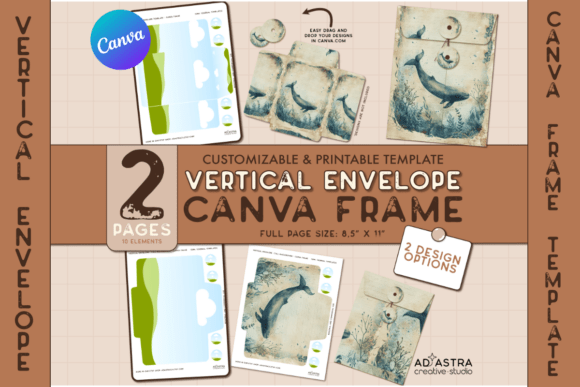
In the world of physical marketing and personal gifting, the presentation is often just as critical as the content itself. We frequently focus heavily on the letterhead or the business card, yet the vessel that delivers these items—the envelope—is often an afterthought. A standard white #10 envelope serves its purpose, but it rarely captures attention. For those looking to elevate their stationery, packaging inserts, or direct mail campaigns, the CANVA FRAME TEMPLATE / Vertical Envelope offers a distinct shift from the mundane to the memorable. This isn't just a static PDF; it is a dynamic design asset engineered for flexibility, allowing you to wrap your creative vision around a functional, vertical format.
The Anatomy of the Vertical Envelope Design
Understanding the visual characteristics of this template is the first step in utilizing it effectively. Unlike traditional horizontal envelopes that mimic a landscape orientation, the vertical envelope stands tall. This portrait orientation naturally draws the eye upward, creating a sense of elegance and formality often associated with high-end retail, luxury wedding invitations, or boutique agency mailers. The CANVA FRAME TEMPLATE / Vertical Envelope is designed with clean lines and structural integrity, ensuring that the final printed product folds correctly and looks polished.
The "personality" of this template is one of adaptability. Because it functions as a Canva Frame, it acts as a container. The structural shape of the envelope remains consistent—maintaining the necessary flaps and seams for construction—but the surface area is a blank canvas. This allows the template to take on the personality of your brand identity. If your brand is minimalist and modern, the vertical orientation accentuates that sleekness. If your brand is vintage and detailed, the tall surface area provides ample room for intricate illustrative design or typography without feeling cramped.
Practical Applications: From Branding to Personal Projects
One of the most significant advantages of this digital asset is its versatility across different industries. For entrepreneurs and small business owners, the vertical envelope is a powerful tool for direct mail. In a stack of standard bills and junk mail, a tall, custom-designed envelope stands out immediately. It signals to the recipient that the contents are intentional and valuable, which can significantly increase open rates for marketing materials or product catalogs.
For crafters and hobbyists, the applications are equally exciting. Consider the world of scrapbooking and journaling; the CANVA FRAME TEMPLATE / Vertical Envelope can be printed on cardstock to create dimensional pockets for journals, perfectly sized to hold tags, photos, or ephemera. Because the kit includes multiple design options, you can create a cohesive set of envelopes for a wedding invitation suite, ensuring that the RSVP card envelope matches the main invitation envelope in style but perhaps differs in color or specific design element.
Furthermore, digital content creators and designers can use these templates to create mockups. If you are a graphic designer presenting a new stationery design to a client, showing them the artwork applied to a realistic envelope mockup is far more effective than showing a flat 2D image. The vertical format also works beautifully for tall inserts, gift vouchers, or "open when" letters, adding a tactile dimension to the digital designs you create.
Design Strategy: Visual Hierarchy and Brand Perception
When working with the CANVA FRAME TEMPLATE / Vertical Envelope, it is essential to think about visual hierarchy. The vertical orientation changes the way we read information. Unlike a horizontal layout where the eye scans left to right across a wide space, a vertical layout encourages a top-to-bottom scan. This makes it an ideal format for stacking information. You might place your logo at the top, a central graphic in the middle, and the return address at the bottom. This structure creates a natural flow that guides the recipient’s eye through your design elements.
This layout also influences brand perception. Vertical envelopes are subconsciously associated with luxury and exclusivity—think of high-end perfume boxes or jewelry pouches. By adopting this format for your marketing or personal projects, you borrow some of that perceived value. It suggests that your brand pays attention to the details. Consistency is key here; using this template allows you to maintain a uniform look across all your print design materials, reinforcing your brand identity every time a client or friend interacts with your mail.
Technical Execution and Customization
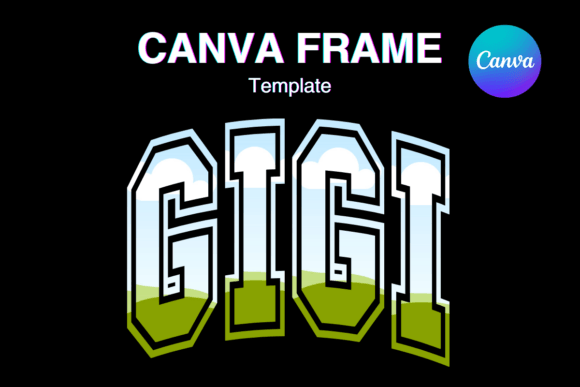
The true power of this kit lies in its technical construction within Canva. For those unfamiliar with the platform, Canva is a user-friendly design tool that operates on a drag-and-drop interface. The CANVA FRAME TEMPLATE / Vertical Envelope utilizes Canva’s "Frames" feature. In practical terms, a frame is a container with a specific shape. You can drag any image—whether it is a photograph, a texture, or a pattern—and drop it into the frame. The image automatically crops to fit the envelope shape perfectly.
This feature is particularly useful for creating complex designs without needing advanced software skills. For instance, if you want to apply a watercolor wash across the entire envelope, you simply drag the watercolor image into the frame. If you want to apply a specific design to individual flaps or sections, the included templates allow for that granularity. This is a significant upgrade from static templates where you are limited to changing text or colors. Here, the surface itself is malleable.
The kit includes a PDF guide with a direct link, which streamlines the workflow. Instead of searching through Canva’s library, you are taken directly to the editable file. This is a massive time-saver for busy marketers and publishers. The "How-to" guide ensures that even those who have never used the Frames feature can quickly grasp the concept of masking images. This accessibility makes it a viable design asset for bloggers who may handle their own graphics or content creators looking to produce merchandise packaging quickly.
Evaluating Fit and Finalizing Your Design
Before committing to a final print run, it is wise to evaluate the fit of your design within the vertical context. Not every visual element works in a tall format. For example, very wide landscape photos might get cropped awkwardly. When using the CANVA FRAME TEMPLATE / Vertical Envelope, select images that have a strong central focal point or those that tile well, such as patterns or abstract textures.
Consider the typography you pair with the design. Since the envelope acts as a wrapper, text is usually secondary to the visual impact. However, for return addresses or decorative quotes, font choice matters. A modern sans-serif font complements a clean, geometric envelope design, while a script font or handwritten font suits a more organic, artisanal style. Ensure that any text placed on the envelope is legible against the background image you have chosen. High contrast is essential for readability.
Finally, remember that this is a commercial-grade asset. Whether you are using it for personal stationery or to create packaging for products you sell, the quality of the output depends on the resolution of the images you input into the frame. Always use high-resolution images (300 DPI is standard for print) to ensure the final envelope looks crisp and professional. The CANVA FRAME TEMPLATE / Vertical Envelope