Transform Your Projects with Gothic Junk Journal DIY Canva Templates
There's something deeply satisfying about a journal that feels like it's been through a few adventures before it even reaches your hands. The textures, the layers, the subtle imperfections—they tell a story. If you've ever wanted to capture that worn, vintage aesthetic in your digital projects without spending hours hunting for the right elements, the Gothic Junk Journal DIY Canva Template set might be exactly what you need. This collection of six grunge border overlays is designed to bring that rustic, time-worn character to your junk journals, scrapbooks, and creative projects with remarkable ease.
What Makes These Gothic Junk Journal Canva Templates Stand Out
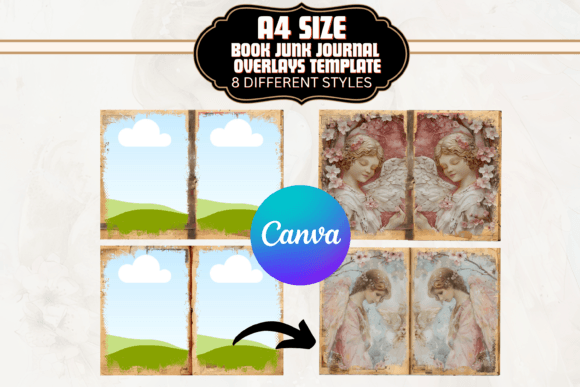
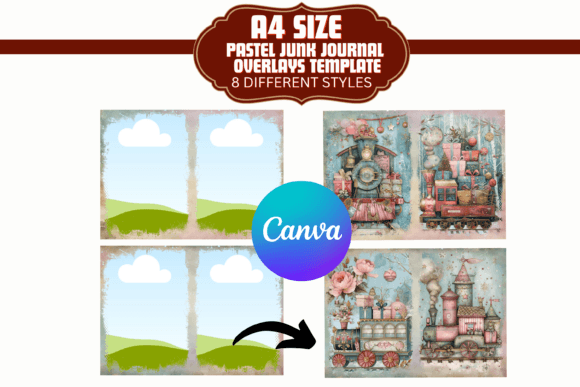
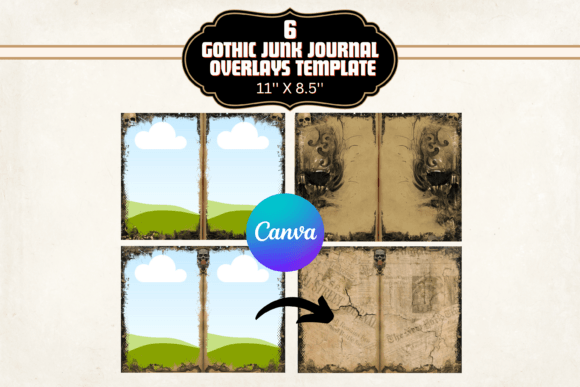
At their core, these templates offer six distinct grunge border overlays, each sized at 11 x 8.5 inches and rendered at 300 DPI. That high resolution matters more than you might think. Whether you're printing a physical journal or working on a digital portfolio, crisp edges and clean detail separate amateur-looking work from something that feels intentional and polished. The overlays themselves carry a dark, moody aesthetic—think distressed edges, layered textures, and that slightly mysterious quality you'd find in an old leather-bound notebook discovered in an attic. They're not just random scratches or noise. Each overlay has personality, designed to frame your content in a way that adds depth without overwhelming it.
The beauty of working within Canva is accessibility. You don't need Photoshop skills or years of design experience to make these work. Once you access the templates through the included PDF instructions, you simply drop your images, text, or artwork into the frames and adjust layers to your liking. The flexibility is genuine—you can resize, reposition, and tweak until the overlay complements rather than competes with your content. For someone building a brand with a dark, vintage, or alternative aesthetic, these templates become a reliable part of your design assets toolkit.
Where Gothic Junk Journal Templates Work Best
Let's talk about practical applications, because a template is only as valuable as the projects it elevates. These overlays are a natural fit for junk journaling and scrapbooking, obviously, but their reach extends well beyond personal craft projects. Small business owners in the handmade or vintage goods space can use them to create cohesive social media graphics that reinforce brand identity. Bloggers covering topics like dark academia, vintage fashion, or alternative lifestyle content will find they add instant atmosphere to featured images and Pinterest pins. Publishers working on zines, indie magazines, or limited-edition print runs can use the overlays to establish a consistent editorial design language that feels tactile and real.
Card makers and stationery designers benefit too. Imagine a set of greeting cards or postcards where each one carries that same grungy, textured border—it creates a collection that feels unified and intentional. For entrepreneurs selling digital products on Etsy or Creative Market, these overlays can elevate mockups and product presentations, making even simple designs look premium. The versatility here isn't marketing speak; it's a practical reality when you're working with overlays that are designed to layer cleanly over varied content types.
How to Choose and Use These Overlays Effectively
Before diving in, consider the personality of your project. These Gothic Junk Journal Canva Templates carry a specific visual weight—darker tones, distressed textures, and a vintage sensibility. They pair beautifully with serif fonts and script fonts that echo that old-world feeling. If your brand leans modern and minimal, you'll want to test how the overlays interact with your existing typeface choices and color palette. Sometimes a single overlay used subtly as a background texture works better than layering multiple elements. Other times, the full grunge effect is exactly the mood you're after.
Font pairing deserves attention here. A bold display font set against one of these textured overlays can create striking social media graphics or logo design mockups. Pair a handwritten font with the overlays for a personal, journal-like feel that works well for lifestyle brands or creative portfolios. The key is contrast—let the overlay provide atmosphere while your typography stays legible and clear. Readability should never suffer for the sake of aesthetic. Test your designs at different sizes, especially if they'll appear on mobile screens or in print at smaller dimensions.
One practical recommendation: before committing to an overlay for a major project, create a small test batch. Use three or four different overlays from the set with the same content and compare them side by side. You'll quickly see which textures enhance your specific images and which ones compete with them. This kind of evaluation takes minutes but saves you from redesigning an entire campaign later. Also, keep in mind that these are Canva templates, which means collaboration is straightforward—share them with team members, clients, or co-creators without worrying about software compatibility.
The included PDF instructions walk you through accessing and customizing the templates, which eliminates the guesswork that sometimes comes with digital design assets. Even if you're new to working with layers in Canva, the guidance is clear enough to get you producing polished work quickly. For seasoned designers, think of these as a starting point. Adjust opacity, combine overlays, or use them as subtle background elements in larger compositions. The six variations give you enough range to keep projects visually interesting without feeling repetitive.
Ultimately, these templates serve a specific need well: they bring that tactile, aged, Gothic-inspired quality to digital work in a way that's accessible and practical. Whether you're building a brand identity around dark vintage aesthetics, creating content for an audience that appreciates moody and textured design, or simply want to add character to your personal creative projects, having a reliable set of grunge overlays in your toolkit removes one more barrier between your vision and the finished product.