Celebrate Graduation 2026 with Editable Canva Templates
A Designer's Toolkit for Marking the Milestone
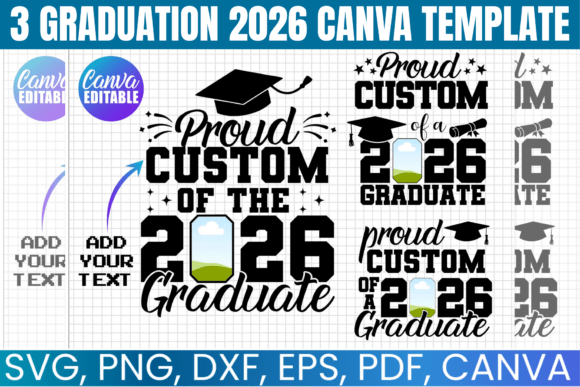
As we look ahead to the class of 2026, the need for polished, personalized digital assets is already on the rise. Whether you are a small business owner creating graduation keepsakes, a content creator designing social media announcements, or a family looking to create a cohesive photo theme, having the right design assets is crucial. This is where the 3 Graduation 2026 Canva Template collection steps in. It is not just a set of graphics; it is a comprehensive visual system designed to handle everything from photo overlays to digital frames with a cohesive, celebratory aesthetic.
From a design perspective, the visual personality of this collection strikes a balance between modern elegance and traditional celebration. It avoids the chaotic, clip-art heavy look often associated with generic graduation themes. Instead, it utilizes clean lines, sophisticated typography pairings, and a balanced color palette that can be easily adjusted to match specific school colors. The style feels premium and polished, making it suitable for both personal family announcements and commercial products like graduation party supplies. The overall appeal lies in its versatility; the templates provide a strong visual hierarchy that guides the viewer’s eye from the headline to the central image, ensuring the graduate remains the star of the show.
Practical Application: Beyond the Digital Invite
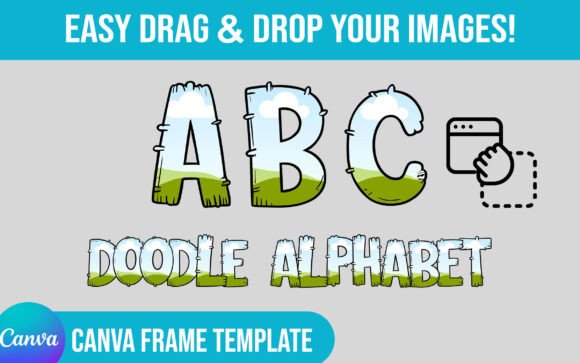
For entrepreneurs and crafters, the true value of this bundle lies in its adaptability across different mediums. You are not limited to just creating a digital invitation. Because the package includes SVG, PNG, and DXF files alongside the Canva link, the workflow integrates seamlessly with physical production methods. Imagine using the "Proud Senior Svg" or "Graduate Svg" files to create custom heat transfers for t-shirts or tote bags using a Cricut or Silhouette machine. The "Graduation Canva Frame" can be printed as a physical prop for a photo booth, or used digitally as a social media overlay for Instagram stories and Facebook posts.
When considering where these designs work best, think about the entire graduation ecosystem. This collection excels in:
- Editorial Design: Creating cohesive yearbook inserts or senior spotlight features for blogs and magazines.
- Packaging Design: Wrapping party favors or creating custom candy bar wrappers for the graduation open house.
- Brand Identity: If you run a photography studio, these templates can help you build a cohesive "Senior Portrait" brand identity for the 2026 season, offering clients a consistent look from the booking confirmation to the final gallery delivery.
- Social Media Graphics: The "Senior Family Svg" is perfect for creating engaging posts where the whole family celebrates the achievement, helping to drive engagement through relatable, shareable content.
The inclusion of a PNG file with a transparent background is particularly useful for layering. You can easily place the graduate's photo behind the frame or combine elements from different templates to create a unique composition in Adobe Photoshop or Canva. This flexibility ensures that you are not locked into a single layout, allowing for the kind of creative exploration that leads to standout graphic design.
Technical Workflow and Design Considerations
Working with the 3 Graduation 2026 Canva Template is straightforward, but a few professional insights can elevate the final product. The templates are formatted for standard 8.5" x 11" sheets, which is the industry standard for home printing and digital sharing. However, if you are using Cricut Design Space, you may need to adjust the dimensions slightly depending on your specific mat size or project requirements—a common practice in the crafting world.
When editing, pay attention to the typography. The templates likely come with suggested font pairings that balance a display font for the headline (like a bold serif or script) with a clean sans-serif for the details. While Canva makes it easy to swap fonts, I recommend sticking to these principles of visual hierarchy. Use a high-contrast, bold typeface for the "Class of 2026" announcement to grab attention, and a legible, modern sans-serif for the date, time, and location details.
For those using these designs for commercial use (selling physical items), the licensing terms are favorable. You can create tangible goods for sale, which is a massive advantage for Etsy shop owners or local print shops. However, strictly adhere to the terms: the digital files themselves cannot be resold or shared. This protects the integrity of the design asset market while empowering you to monetize your creativity.
Evaluating Fit and Final Polish
Before finalizing your design, take a moment to evaluate the project fit. If you are aiming for a very minimalist, ultra-modern aesthetic, you might choose to strip back some of the decorative elements using the "Proud Senior Svg." Conversely, if the event is more festive, you can layer in additional colors or textures within the editable Canva interface.
One often overlooked aspect of design assets is the "Proud Senior Svg" and "Senior Family Svg" utility. These aren't just static images; they are vectors. This means you can scale them up to poster size or down to sticker size without losing resolution. This scalability is essential for maintaining professionalism across your brand touchpoints.
Ultimately, these templates serve as a robust foundation. They save you the hours typically required to build a layout from scratch while providing the professional polish necessary for a major life event. By leveraging the included file types and respecting the editing capabilities of Canva, you can produce a suite of graduation materials that feel custom-made and high-end.