Kindle Insert Canva Template Bundle: Design Custom Case Art
There is something uniquely satisfying about personalizing your tech. For Kindle owners, the device itself is a portal to countless worlds, but the case is their personal canvas. The Kindle Insert Canva Template Bundle transforms this idea into a tangible reality. This isn't just a set of files; it's a toolkit for creators, entrepreneurs, and anyone who believes their device should reflect their style. It bridges the gap between a generic accessory and a custom-designed piece of personal branding or art.
What Exactly Is This Kindle Insert Template Bundle?
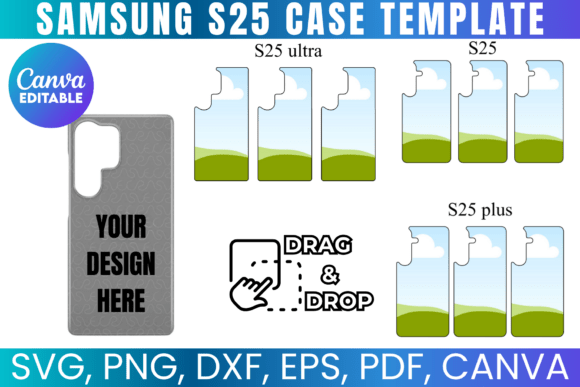
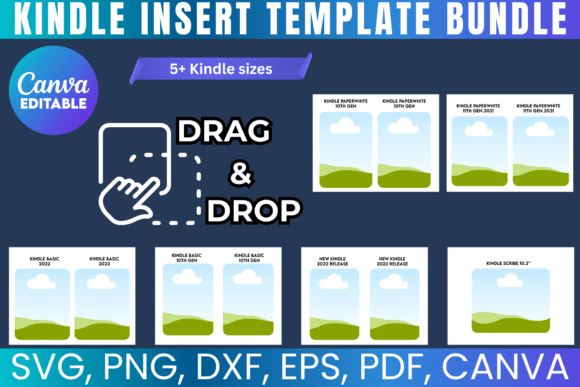
At its core, this bundle provides the digital blueprint for creating printable inserts that slide into the clear back of a Kindle case. The included SVG, PNG, DXF, and PDF files are professionally formatted to ensure crisp, print-ready results on standard 8.5"x11" paper. The true centerpiece, however, is the Canva link. This grants you immediate, browser-based access to a fully editable template. You can drag and drop your own graphics, adjust colors to match your brand palette, and type in your own text using Canva's intuitive interface. The visual style of the templates is intentionally versatile—clean, modern, and structured to showcase your content without overwhelming it, providing a polished foundation for any design direction.
Real-World Applications for Creators and Businesses
The utility of a customizable Canva template like this extends far beyond simple decoration. For a small business owner, it's a powerful branding tool. Imagine a boutique bookstore owner creating inserts with their logo and a seasonal reading list, then selling them as curated accessories. A content creator or influencer could design inserts featuring their social media handles and a QR code to their latest video, turning every Kindle in their audience's hands into a subtle marketing channel. For authors and publishers, it's a brilliant promotional asset. A beautifully designed insert featuring the cover art of a new novel, included with a purchased Kindle, elevates the unboxing experience and reinforces the book's brand identity.
For designers and crafters, the bundle is a sandbox for creative font exploration and graphic design practice. The included SVG file works seamlessly with cutting machines like Cricut and Silhouette, allowing for intricate die-cut designs. The transparent PNG file is perfect for layering in Adobe Photoshop or other editing software. This compatibility across design assets makes it a valuable addition to any digital toolkit, encouraging experimentation with different typeface pairings, textures, and compositions without any risk.
Designing for Impact: Readability and Visual Hierarchy
When you open the Canva template, you're working with a limited, focused space. This is where principles of modern typography become practical. Your choice of font pairing is critical. A bold display font for a title or a quote can create a strong focal point, but it needs to be balanced with a highly legible sans serif font or a clean serif font for any smaller body text or URLs. Avoid overly ornate script fonts or detailed handwritten fonts for essential information, as they can become illegible at small sizes when printed.
Think about visual hierarchy. What do you want someone to see first? A logo, a name, or a key message? Use size, weight, and color contrast to guide the viewer's eye. The template's structure helps establish this hierarchy, but your content decisions solidify it. For social media graphics or editorial design adapted for this format, consistency is key. Use the same creative font styles and color scheme across multiple inserts to build recognition, whether for a personal project or a series of products. This consistency builds professionalism and makes your work instantly identifiable.
Practical Guidance for Your Project
Before diving in, consider the end product. Will this insert be for your own Kindle, for a gift, or for sale? This determines your need for a commercial font or licensed graphics within your design. The template files themselves are licensed for both personal and small business use, but any additional elements you incorporate must also be cleared for your intended purpose. Always review the licensing of any premium font you source from outside Canva's library.
Evaluate the project's fit by asking: Does the insert need to be purely decorative, or is it functional, like a reading journal page or a planner insert? This will influence whether you lean towards a more artistic, packaging design-inspired approach or a cleaner, utilitarian layout. Test your font pairings at actual print size on your screen—zoom to 100% to check legibility. The beauty of this Canva link system is the ease of iteration. You can create a dozen versions, save them, and print proofs until you achieve the perfect balance of style and function.
This Kindle Insert Template Bundle is more than a set of printables; it's an invitation to treat a everyday device as a piece of web design meets physical product. It empowers you to apply your skills in logo design, brand identity