Lead Magnet Canva Template Bundle: Your 200-Page Design Asset
What Exactly Is This Template Bundle?
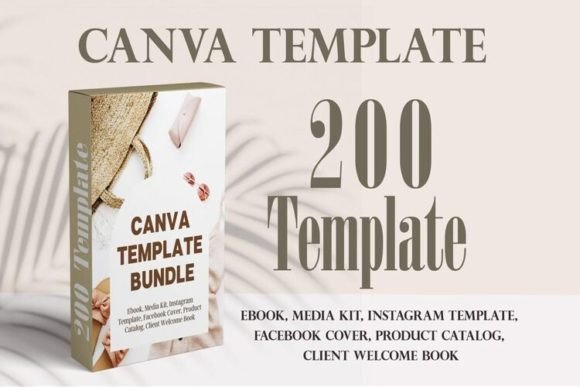
Think of it as a massive library of pre-designed, fully editable ebook and lead magnet pages. This isn't just a handful of generic layouts. We're talking about 200 pages of professional design work, broken down into five distinct ebook template sets. Each set is a complete package, ready for you to drop your content into. The core idea is simple: you get a polished, cohesive visual framework without starting from a blank page. The style is clean, modern, and professional. It leans into contemporary typography and balanced layouts that feel trustworthy and authoritative. There's a subtle elegance to it—nothing overly flashy or distracting. The visual personality is one of clarity and competence, which is exactly what you want when you're presenting yourself as an expert.
Where this bundle shines is in its practical application. It's built for coaches, designers, photographers, virtual assistants, and other service-based professionals who need to create high-value content quickly. Imagine you're a business coach. You could use the 31-page ebook template to create a comprehensive guide on client acquisition. The cover pages set the tone, the table of contents gives it structure, and the 20 interior magazine-style layouts let you present your frameworks, case studies, and exercises in a visually engaging way. The planner page is perfect for an action plan, and the conclusion pages give you a strong finish with a call to action or a thank you. It turns a daunting writing project into a straightforward content-filling exercise.
Real-World Value for Your Brand
The true power of the Lead Magnet Canva Template Bundle lies in brand consistency. One of the biggest challenges for small businesses and solo entrepreneurs is maintaining a uniform look across all touchpoints. These templates solve that. Because you can easily change the colors, fonts, and photos in Canva's free account, you can make every single page match your existing brand identity. Swap the default color palette for your brand's hex codes. Replace the placeholder fonts with your chosen typeface. Upload your own images or select from Canva's library. Suddenly, you have a professional PDF that looks like it was custom-designed for your business, reinforcing your brand recognition with every page turn.
This consistency directly impacts how your audience perceives you. A well-designed document with clear visual hierarchy—using headings, subheadings, and body text effectively—signals professionalism. It makes your content easier to read and digest, which increases engagement. People are more likely to trust the advice in a beautifully formatted ebook than in a plain text document. The templates are designed with this in mind. They use modern typography principles to guide the reader's eye, ensuring your key messages aren't lost. For a photographer, this means your stunning images are presented in layouts that complement them, not compete with them. For a virtual assistant, it means your service packages and process guides look organized and credible.
Practical Guidance for Using the Templates
Getting started is straightforward, but a little planning goes a long way. First, consider your project's goal. Are you creating a short, punchy checklist? The 16-page ebook template with its 11 content pages and dedicated call to action is perfect. Are you writing a more in-depth chapter-based guide? The 24-page template with its chapter pages, notes section, and contact page provides the necessary structure. Evaluate the included styles—some sets have multiple "About the Author" pages or welcome pages. Choose the one that best fits the narrative you're building.
Next, think about font pairing. While the templates come with suggested fonts, you'll want to align them with your brand. A good rule of thumb is to pair a clean sans-serif font for body text with a more distinctive serif or display font for headings. Test these pairings within the template. Does the hierarchy remain clear? Is the body text still highly readable at a standard size? The templates are built on a grid, so your text should flow naturally. Pay attention to the checklist pages and call-to-action pages—these are high-conversion elements, so ensure the design there is especially clear and compelling.
Finally, remember that these are design assets with a commercial license, meaning you can use them for client work or to create products for sale. This adds significant value. A web designer could use the bundle to create style guide PDFs for clients. A blogger could repurpose their top posts into a beautiful, downloadable ebook. The key is to see the Lead Magnet Canva Template Bundle not as a rigid set of pages, but as a flexible starting point. It handles the heavy lifting of layout and composition, freeing you up to focus on what you do best: creating valuable content and serving your audience. The result is a faster path to professional-looking materials that build trust and authority for your brand.